Memaparkan catatan dengan label Sekuriti. Papar semua catatan

Isnin, November 10, 2014

Kali Linux - Cara hidupkan rangkaian

Hari ni test image VMware Kali Linux 1.0.9. Bila dah siap download. Aku pun transfer ke dalam VMware dan mula. Semua berjalan lancar kecuali network-manager tak dapat nak sambung dengan NAT ataupun Bridge yang aku buat. Godek punya godek, ada bug rupanya pada Debian Linux (Base yang Kali Linux guna).

Cara nak selesaikan masalah ni ialah dengan cara berikut:
# leafpad /etc/NetworkManager/NetworkManager.conf
Pada ruang managed=false tukarkan kepada managed=true kemudian save!
# service network-manager restart
Arahan ni untuk 'restart' sambungan rangkaian. Ok cun, dah jalan dan bersambung dengan NAT ataupun Bridge yang dah ditetapkan. Yeaah!

Sabtu, November 08, 2014

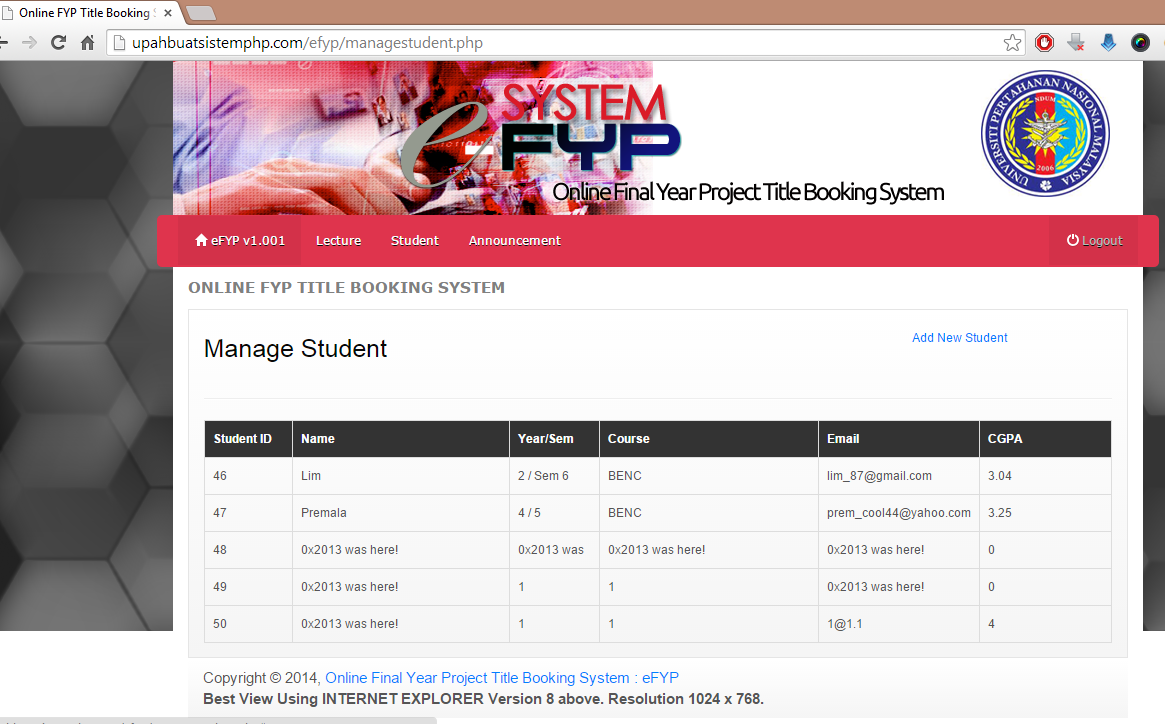
Hacked - UpahBuatSistemPhp.com !


Opss ! 

Ahad, Mac 02, 2014

Java : Keygen - Intellij IDEA 13

Main.java
=========
import java.awt.EventQueue;

public class Main extends JFrame {

   /**
    * 
    */
   private static final long serialVersionUID = 1L;
   private JPanel contentPane;
   private JTextField textField;
   private JTextField textField_1;

   /**
    * Launch the application.
    */
   public static void main(String[] args) {
      EventQueue.invokeLater(new Runnable() {
         public void run() {
            try {
               Main frame = new Main();
               frame.setVisible(true);
            } catch (Exception e) {
               e.printStackTrace();
            }
         }
      });
   }

   /**
    * Create the frame.
    */
   public Main() {
      setResizable(false);
      setTitle("SEN CRACK (Intellij IDEA 13.0.1)");
      setDefaultCloseOperation(JFrame.EXIT_ON_CLOSE);
      setBounds(100, 100, 450, 300);
      contentPane = new JPanel();
      contentPane.setBorder(new EmptyBorder(5, 5, 5, 5));
      setContentPane(contentPane);
      contentPane.setLayout(null);

      JButton btnKeygenIt = new JButton("Keygen It");
      btnKeygenIt.addActionListener(new ActionListener() {
         public void actionPerformed(ActionEvent arg0) {
            if (textField.getText().contentEquals("")) {
               textField_1.setText("Empty Name!");
            } else {
               String[] name = { textField.getText() };
               textField_1.setText(Keygen.keyit(name));
            }
         }
      });
      btnKeygenIt.setFont(new Font("Tahoma", Font.PLAIN, 11));
      btnKeygenIt.setBounds(10, 227, 89, 23);
      contentPane.add(btnKeygenIt);

      JButton btnExit = new JButton("Exit");
      btnExit.addActionListener(new ActionListener() {
         public void actionPerformed(ActionEvent arg0) {
            System.exit(0);
         }
      });
      btnExit.setFont(new Font("Tahoma", Font.PLAIN, 11));
      btnExit.setBounds(109, 227, 89, 23);
      contentPane.add(btnExit);

      textField = new JTextField();
      textField.setFont(new Font("Tahoma", Font.PLAIN, 11));
      textField.setBounds(10, 165, 414, 20);
      contentPane.add(textField);
      textField.setColumns(10);

      textField_1 = new JTextField();
      textField_1.setEditable(false);
      textField_1.setFont(new Font("Tahoma", Font.PLAIN, 11));
      textField_1.setBounds(10, 196, 414, 20);
      contentPane.add(textField_1);
      textField_1.setColumns(10);

      JLabel lblEnterYourName = new JLabel("Enter your name below :");
      lblEnterYourName.setHorizontalAlignment(SwingConstants.CENTER);
      lblEnterYourName.setFont(new Font("Tahoma", Font.PLAIN, 11));
      lblEnterYourName.setBounds(10, 140, 414, 14);
      contentPane.add(lblEnterYourName);

      JLabel lblSenCrackintellij = new JLabel(
            "SEN CRACK (Intellij IDEA 13.0.1)");
      lblSenCrackintellij.setHorizontalAlignment(SwingConstants.CENTER);
      lblSenCrackintellij.setFont(new Font("Tahoma", Font.BOLD, 23));
      lblSenCrackintellij.setBounds(10, 11, 414, 102);
      contentPane.add(lblSenCrackintellij);
   }
}

Keygen.java
===========
import java.math.BigInteger;
import java.util.Date;
import java.util.Random;
import java.util.zip.CRC32;

public class Keygen {
   /**
    * @param s
    * @param i
    * @param bytes
    * @return
    */
   public static short getCRC(String s, int i, byte bytes[]) {
      CRC32 crc32 = new CRC32();
      if (s != null) {
         for (int j = 0; j < s.length(); j++) {
            char c = s.charAt(j);
            crc32.update(c);
         }
      }
      crc32.update(i);
      crc32.update(i >>;
      crc32.update(i >> 16);
      crc32.update(i >> 24);
      for (int k = 0; k < bytes.length - 2; k++) {
         byte byte0 = bytes[k];
         crc32.update(byte0);
      }
      return (short) (int) crc32.getValue();
   }

   /**
    * @param biginteger
    * @return String
    */
   public static String encodeGroups(BigInteger biginteger) {
      BigInteger beginner1 = BigInteger.valueOf(0x39aa400L);
      StringBuilder sb = new StringBuilder();
      for (int i = 0; biginteger.compareTo(BigInteger.ZERO) != 0; i++) {
         int j = biginteger.mod(beginner1).intValue();
         String s1 = encodeGroup(j);
         if (i > 0) {
            sb.append("-");
         }
         sb.append(s1);
         biginteger = biginteger.divide(beginner1);
      }
      return sb.toString();
   }

   /**
    * @param i
    * @return
    */
   public static String encodeGroup(int i) {
      StringBuilder sb = new StringBuilder();
      for (int j = 0; j < 5; j++) {
         int k = i % 36;
         char c;
         if (k < 10) {
            c = (char) (48 + k);
         } else {
            c = (char) ((65 + k) - 10);
         }
         sb.append(c);
         i /= 36;
      }
      return sb.toString();
   }

   /**
    * @param name
    * @param days
    * @param id
    * @param prtype
    * @return
    */
   public static String MakeKey(String name, int days, int id) {
      id %= 100000;
      byte bkey[] = new byte[12];
      bkey[0] = (byte) 1; // Product type: IntelliJ IDEA is 1
      bkey[1] = 13; // version
      Date d = new Date();
      long ld = (d.getTime() >> 16);
      bkey[2] = (byte) (ld & 255);
      bkey[3] = (byte) ((ld >> & 255);
      bkey[4] = (byte) ((ld >> 16) & 255);
      bkey[5] = (byte) ((ld >> 24) & 255);
      days &= 0xffff;
      bkey[6] = (byte) (days & 255);
      bkey[7] = (byte) ((days >> & 255);
      bkey[8] = 105;
      bkey[9] = -59;
      bkey[10] = 0;
      bkey[11] = 0;
      int w = getCRC(name, id % 100000, bkey);
      bkey[10] = (byte) (w & 255);
      bkey[11] = (byte) ((w >> & 255);
      BigInteger pow = new BigInteger(
            "89126272330128007543578052027888001981", 10);
      BigInteger mod = new BigInteger("86f71688cdd2612ca117d1f54bdae029", 16);
      BigInteger k0 = new BigInteger(bkey);
      BigInteger k1 = k0.modPow(pow, mod);
      String s0 = Integer.toString(id);
      String sz = "0";
      while (s0.length() != 5) {
         s0 = sz.concat(s0);
      }
      s0 = s0.concat("-");
      String s1 = encodeGroups(k1);
      s0 = s0.concat(s1);
      return s0;
   }

   public static String keyit(String[] args) {
      if (args.length == 0) {
         System.err.printf("*** Usage: %s name%n",
               Keygen.class.getCanonicalName());
         System.exit(1);
      }
      Random r = new Random();
      return MakeKey(args[0], 0, r.nextInt(100000));
   }
}

Rabu, Januari 22, 2014

Linux : MAC address gateway / router / modem

maria@ozawa:~$ ip neigh

Rabu, Januari 15, 2014

Hacked : myfren.id1945.com

Saje jer kacau projek member..hehe jangan marah yer

Ahad, Januari 12, 2014

Linux \ Unix : Listen port

awek@bilik57 ~ $ netstat -anltp | grep "LISTEN"

Jumaat, Januari 10, 2014

C++ : Linear search a.k.a Sequential search (Brute force)

#include <iostream>

using namespace std;

// Size of array nums
const int Element=10;
//Function prototype
int linearSearch(int[], int, int);

int main()
{
 // Listing of element in array nums
 int nums[Element]={5,10,22,32,45,67,73,98,99,101};
 int item,location;

 cout<<"Enter the item you are searching for: ";
 cin>>item;

 // Calling  and passing parameter to function linearSearch()
 location=linearSearch(nums,Element,item);

 // Passing function result back to main()
    if(location> -1)
        cout<<"The item was found at index location "<<location<<endl;
    else
        cout<<"The item was not found in the array\n";
 return 0;
}

// compare key to every element of array until location is
// found or until end of array is reached. Return subscript of
// element if key is found or -1 if key not found
int linearSearch(int list[ ],int size,int key) {
 int i;
  for(i=0;i<size;i++) {
   if (list[i]==key)
   return  i;
  } return -1;
}

Isnin, Disember 16, 2013

FIX PHP : Warning: Cannot modify header information - headers already sent

<?php
  ob_start();

  // sumbat dan goreng kod kat dalam ni 

 ob_end_flush();
?> 
* Dengan sedikit hack (pakai dengan cara ni).. kita boleh abaikan masalah warning @ notice tersebut. Masalah ni biasanya berpunya daripada whitespace antara tag <?php dan ?> ...tapi kalau kod dah cecah lebih daripada 2K baris. Tak sanggup dah nak baca beb..huhu.. pakai cara ni mudah. Letak je ob_start(); kat atas fail kemudian ob_end_flush(); kat baris paling bawah dalam fail..semoga mujarab \m/

Ahad, November 24, 2013

LAMPP : Permision denied "/op/lampp/htdoc" - FIXED!

Bila pasang XAMPP dalam linux, semua web files akan sumbat dalam folder htdocs. Tapi masalahnya. Asyik kena recursive chmod je folder website (htdocs) dan sangat leceh bila nak buat kerja (sangat busy beb!). Jadi, cara mudah.. kita letakkan bawah user dan group komputer kita sendiri. Tak faham? Ok. Contoh lah web saya tu dalam folder "pinktube" (bukan redtube ok?), dan saya nak buat index.php dalam tu.
$ touch /opt/lampp/htdocs/pinktube/index.php
touch: cannot touch ‘/opt/lampp/htdocs/pinktube/index.php’: Permission denied
Nampak tak masalah kat atas? Bayangkan ada banyak fail dan folder. Nak chmod 755 -R pun rasa malas klau ada banyak folder lain dan kena kerap kali buat macamni. Tu belum masuk lagi kes orang yang tak tahu guna recursive chmod. Mesti kojol kalau dia chmod fail satu per satu..kah..kah..

Penyelesaian Mudah :
===================
1. Kita kenal pasti user dan group:
$ who am i
Contoh output:
syasha      pts/1        2023-14-54 01:44 (:0)
* amik output yang depan sekali untuk kenal pasti user dan group , sebagai contoh diatas ialah "syasha"

2. Set direktori /op/lampp/htdocs/ tersebut dengan permision dari output user dan group di atas
$ sudo chown -R username:username /opt/lampp/htdocs
Klu ikot contoh aku, username tu perlulah ganti dengan syasha..bergantung pada komputer korang la.

3. Edit fail httpd.conf
$ sudo nano /opt/lampp/etc/httpd.conf
Cari maklumat bawah bahagian <IfModule unixd_module>
User deamon
Group deamon
Ganti deamon tu dengan user dan group anda sendiri. Simpan dan restart lampp anda. Ok selesai.. try la buat fail atau folder, dah takde masalah lagi.

Selamat mencuba!

Jumaat, November 22, 2013

Stenografi : Ujian Paling Asas dan Mudah

Assalamualaikum & salam sejahtera,
Hari ini aku kongsikan bagaimana hendak membuat stegnografi asas ke atas suatu gambar. Untuk menggunakan teknik yang aku kongsikan ini, anda perlulah menggunakan linux. Terpulanglah nak pakai distro apa-apa pun, namun dicadangkan daripada variasi Debian seperti Debian itu sendiri, Kali Linux ataupun Ubuntu.

1. Pasang pakej steghide ke dalam sistem operasi linux anda
apt-get install steghide

2. Selesai pemasangan itu. Cari satu gambar untuk digunakan (sebagai contoh saya gunakan "amoi.jpg") dan buat satu file teks yang mengandungi teks tertentu (sebagai contoh saya buat fail "rahsia.txt" dan didalamnya tertulis maklumat saya). Kemudian, kita kumpil kan 2 bahan tersebut.
steghide embed -cf amoi.jpg -ef rahsia.txt
Sila masukkan katalaluan tertentu (reka je sendiri) untuk melindungi fail tersebut.

3. Siap, fail tersebut telah dipadukan (embed) bersama-sama. Jika anda perasan saiz fail gambar juga telah bertambah. Sekiranya anda ingin berkongsi gambar tersebut, sila mampatkan (compress) dan arkib menggunakan format .rar , .tar.gz , .zip dan sebagainya. Jangan lupa pula untuk berkongsi "katalaluan" anda untuk memudahkan orang lain membuka fail tersebut.

4. Untuk membuka fail tersebut. Masukkan arahan dibawah:
steghide extract -sf amoi.jpg

Semoga ilmu ini bermanfaat. Wassalam~

Rabu, November 20, 2013

Tutorial : Start & update Metasploit if not autostart

Well, macam tajuk post ni. Sekiranya kita dah pun disable kan metasploit daripada autostart. Makan anda perlu memasukkan arah di boleh untuk membolehkan anda menggunakan metasploit tersebut :
$ sudo -sH
$ /etc/init.d/metasploit start
$ cd /opt/metasploit/app
$ sudo msfconsole

Dan sekiranya anda ingin membuat kemaskini. Sila gunakan arahan dibawah:
$ /etc/init.d/metasploit start
$ cd /opt/metasploit/app
$ msfupdate
Semoga bermanfaat. Wassalam~

Tutorial : Metasploit =/= Service

Ingat tak masa pasang Metasploit dulu tentang gambar dibawah?


Sekiranya anda memilih "No" iaitu menjadikan Metasploit bukan services pada komputer anda maka anda perlulah memasukkan arahan:
$ sudo /opt/metasploit/ctlscript.sh start
Untuk menggunakan Metasploit..

Tutorial : Disable Metasploit Autostart

Cara untuk disable autostart Metasploit selepas proses installation:
$ sudo update-rc.d metasploit disable

Sabtu, November 02, 2013

XSS : http://mylearn.umt.edu.my (Universiti Malaysia Terengganu)

Rabu, Oktober 30, 2013

Java : Shell Sort

package shellsort;
public class ShellSort {

   public static void main(String args[]) {
        int[] array = new int[] { 7,2,9,1,4 };
 
        int x, i, j, space, temp;
         /* Shell Sort Program */
         for (space = array.length / 2; space > 0; space /= 2)
         {
                for (i = space; i < array.length; i++)
             {
                    temp = array[i];
                        for (j = i; j >= space; j -= space) 
                    {
                            if (temp < array[j - space]) {
                                array[j] = array[j - space];
                            } else {
                                break;
                            }
                        }
                       array[j] = temp;
            }
        }
        System.out.println("After Sorting:");
        for (x = 0; x <5; x++) {
            System.out.println(array[x]);
        }
    }
}

Selasa, Oktober 29, 2013

Rail Fence Cipher (HTML + Javascript)

<html>   
<script type="text/javascript">
function Encrypt() {
    plaintext = document.getElementById("p").value.toLowerCase().replace(/[^a-z]/g, "");  
    if(plaintext.length < 1){ alert("please enter some plaintext"); return; }    
    var key = parseInt(document.getElementById("key").value);
    if(key > Math.floor(2*(plaintext.length-1))){ alert("key is too large for the plaintext length."); return; }  
    ciphertext = "";
    for(line=0; line<key-1; line++){
       skip=2*(key-line-1);   j=0;
        for(i=line; i<plaintext.length;){
            ciphertext += plaintext.charAt(i);
            if((line==0) || (j%2 == 0)) i+=skip;
           else i+=2*(key-1) - skip;  
           j++;          
        }
    }
    for(i=line; i<plaintext.length; i+=2*(key-1)) ciphertext += plaintext.charAt(i);
    document.getElementById("c").value = ciphertext;
}

function Decrypt(f) {
    ciphertext = document.getElementById("c").value.toLowerCase().replace(/[^a-z]/g, "");  
    if(ciphertext.length < 1){ alert("please enter some ciphertext (letters only)"); return; }    
    var key = parseInt(document.getElementById("key").value);
    if(key > Math.floor(2*(ciphertext.length-1))){ alert("please enter 1 - 22."); return; }      
    pt = new Array(ciphertext.length);   k=0;
    for(line=0; line<key-1; line++){
       skip=2*(key-line-1);  j=0;
        for(i=line; i<ciphertext.length;){
            pt[i] = ciphertext.charAt(k++);
            if((line==0) || (j%2 == 0)) i+=skip;
           else i+=2*(key-1) - skip;  
           j++;        
        }
    }
    for(i=line; i<ciphertext.length; i+=2*(key-1)) pt[i] = ciphertext.charAt(k++);
    document.getElementById("p").value = pt.join("");
}
</script>

<h2>Rail Fence Cipher </h2>
<p>Enter the word that you want to ENCRYPT, then put "NUMBER" in a key form to make how many rail you need</p>

Plaintext<BR>
<TEXTAREA id="p" name="p" rows="4" cols="50">attack at dawn</TEXTAREA>
<P>line   = <INPUT id="key" name="key" size="5" value=" " type="text"></P>
<P><INPUT name="btnEn" value="v Encrypt v" onclick="Encrypt()" type="button"> 
<INPUT name="btnDe" value="^ Decrypt ^" onclick="Decrypt()" type="button"></P>
<P>Ciphertext<BR><TEXTAREA id="c" name="c" rows="4" cols="50"></TEXTAREA> </P>

    </body>
</html>

Ahad, Oktober 13, 2013

Wifite - Linux Mint / Debian / Ubuntu

# wget https://raw.github.com/derv82/wifite/master/wifite.py
# chmod +x wifite.py
# ./wifite.py

Ahad, September 22, 2013

Batch : Windows Cleaner Log

@echo off
color A
title Madleets log remover by madcode
echo welcome to madleets events log cleaner :)
pause
FOR /F "tokens=1,2*" %%V IN ('bcdedit') DO SET adminTest=%%V
IF (%adminTest%)==(Access) goto madadmin
for /F "tokens=*" %%G in ('wevtutil.exe el') DO (call :clear "%%G")
echo.
echo Logs cleard :)
goto madleets
:clear
echo clearing %1
wevtutil.exe cl %1
goto :eof
:madAdmin
echo Please run me with admin privalges
:madleets

pause
echo Madleets.com
pause

Python : Wordlist generator

#!/usr/bin/env python 
# -*- coding: UTF-8 -*- 

from getopt import getopt 
from itertools import product 
from sys import argv,exit 

def banner(): 
    print '''[*] Wordlist Generator | Made by MMxM 
Options:  
    -c <characters that will be used> 
    -m <minimum of characters> 
    -x <maximum of characters> 
    -o <output file> 

Example: 
    %s -c abcdefghijklmnopqrstuvwxyz -m 5 -x 10 -o /root/wordlist.txt 
'''%argv[0] 


try: 
    min = 0
    max = 0
    file = None
    caracteres = None
    opts,args = getopt(argv[1:],"m: x: o: c:") 
    for opt, a in opts: 
        if opt == "-m": min = a 
        if opt == "-x": max = a 
        if opt == "-o": file = a 
        if opt == "-c": caracteres = a 

    if min > max: banner();exit(1) 
    if caracteres == None: banner();exit(1) 
    if file == None: banner();exit(1) 
    arq = open(file,"w") 
    caracteres = list(str(caracteres)) 

    print '\n[*] Building Wordlist ...\n'

    for n in range(int(min),int(max)+1): 
        for w in product(caracteres,repeat=n): 
            word = ''.join(w) 
            arq.write("%s\n"%word) 

    print '[+] Generated Wordlist !!!\n[+] File => %s\n'%file
    arq.close()
except: 
    exit(1)

Khamis, September 19, 2013

FIX : ERROR: Can't change MAC: interface up or not permission: Device or resource busy

Assalamualaikum dan salam sejahtera kepada semua pembaca. Pernahkah anda menggunakan MAC CHANGER ? Ianya digunakan untuk mengubah alamat fizikal pada kad rangkaian anda secara sementara ataupun kekal. Untuk menukar alamat MAC pada kad rangkaian bagi pengguna sistem pengoperasian Windows, anda boleh menggunakan TMACCHANGGER (sila cari sendiri, hint sudah diberi) manakala pengguna Linux boleh menggunakan MACCHANGER sahaja. Anda perlu mematikan servis sambungan capaian rangkaian anda terlebih dahulu sebelum mengubah alamat MAC jika tidak anda akan mendapat pesanan ralat :

ERROR: Can't change MAC: interface up or not permission: Device or resource busy

Langkah-langkah:
================
1. Matikan dahulu servis rangkaian anda:
faizura@cute ~ $ sudo service network-manager stop

2. Tukar alamat MAC kad rangkaian wlan0 anda:
faizura@cute ~ $ sudo macchanger -r wlan0
Permanent MAC: 68:8d:10:9f:19:d3 (Intel Corporate)
Current   MAC: 68:8d:10:9f:19:d3 (Intel Corporate)
New       MAC: 4e:97:cd:e5:f5:85 (unknown)

3. Hidupkan kembali servis rangkaian:
faizura@cute ~ $ sudo service network-manager start

Siap! Mudah je kan? Selamat menggodek...Wassalam